Bagaimana untuk menyemak bil saya?
Modified on Fri, 23 Jan at 10:00 AM
Anda boleh menyemak butiran bil anda dengan mudah melalui aplikasi CelcomDigi dengan mengikuti langkah-langkah berikut:
| Langkah-langkah | Panduan |
| Langkah 1: Di halaman utama aplikasi CelcomDigi, klik ‘Semak Bil’ | 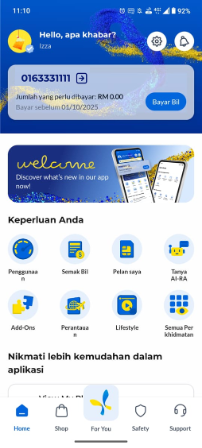 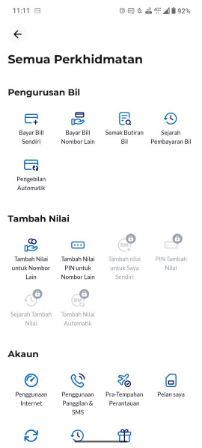 |
| Langkah 2: Di halaman 'Semak Butiran Bil' anda boleh melihat maklumat bil anda, termasuk nombor akaun, tarikh akhir pembayaran, dan sejarah pembayaran bil. | 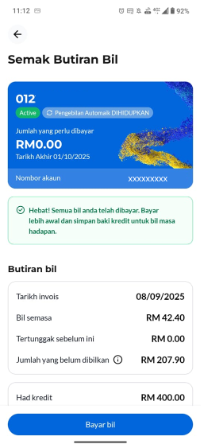 |
Was this article helpful?
That’s Great!
Thank you for your feedback
Sorry! We couldn't be helpful
Thank you for your feedback
Feedback sent
We appreciate your effort and will try to fix the article


