Bagaimana untuk menyemak maklumat kontrak saya?
Modified on Tue, 10 Mar at 10:51 AM
Anda boleh menyemak maklumat kontrak melalui aplikasi CelcomDigi dengan mengikuti langkah berikut:
Langkah 1: Pada halaman utama aplikasi CelcomDigi, klik 'Pelan Saya'
Langkah 2: Butiran kontrak anda akan dipaparkan.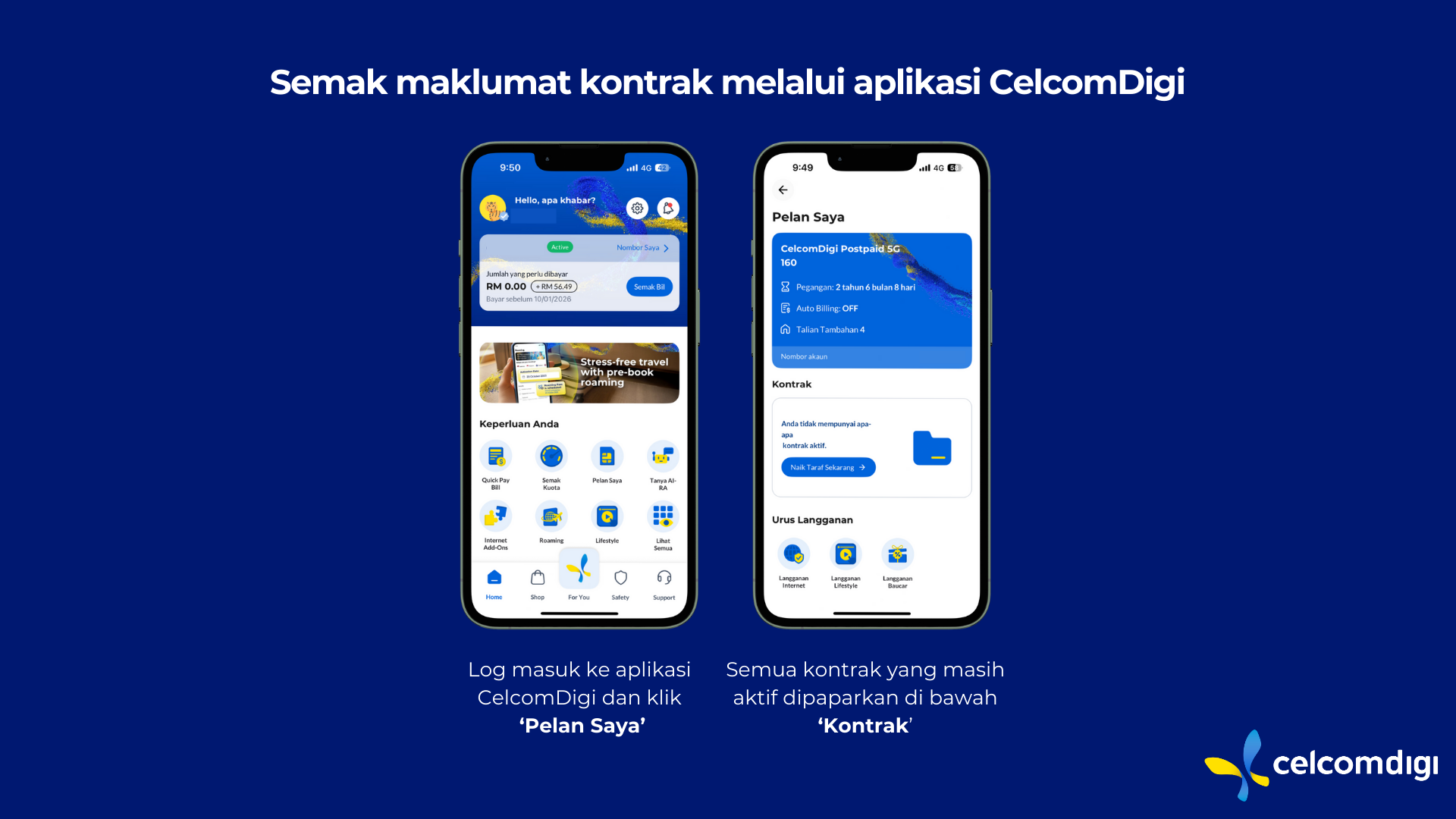
Nota: Jika anda masih berada dalam kontrak dan ingin menamatkannya, caj penalti akan dikenakan. Sila hubungi kami untuk menyemak jumlah penalti.
Was this article helpful?
That’s Great!
Thank you for your feedback
Sorry! We couldn't be helpful
Thank you for your feedback
Feedback sent
We appreciate your effort and will try to fix the article


